How to edit or remove CNAME Record in cPanel using the DNS Zone Editor?


You can edit or remove CNAME Record from cPanel using the cPanel DNS Zone Editor which allows you to manage, remove or modify DNS records.


1. Log into your cPanel account. (eg: www.example.com/cPanel )
2. In the "Domains" section, click on the "Zone Editor" Icon.


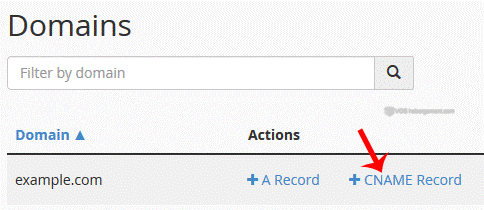
Under "Domains", you can see many options below the "Actions" text.


3. Click on "Manage" and the DNS records will be loaded on page.


4.
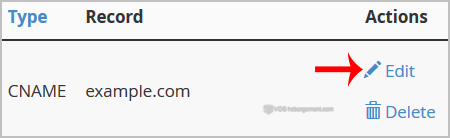
 Locate CNAME Record you wish to edit or remove. Should you wish to edit a CNAME record, click the €œEdit€ option, modify the details and then click on €œSave Record€. Removing a record can be done with the €œDelete€ option.


Note: It may take anywhere from 12 to 24 hours for the changes to take effect worldwide.

Was this answer helpful?

 Print this Article

Also Read

How to upload files using FileManager?

If you don't want to use a 3rd party FTP Software, you can use the cPanel's inbuilt File...

How to update your cPanel Contact Information or receive a notification on reaching quota limit?

If you want to receive notification on reaching your disk quota, bandwidth usage limit, reaching...

How to add A Record in cPanel using DNS Zone Editor?

A Record is a DNS record and is used to point a domain or subdomain to an IP address. You can add...

How to create a new folder or files in the cPanel File Manager?

1. Log into your cPanel account.2. In the "Files" section, click on the "File Manger" Icon. 3....

How to Create an Additional Web Disk Account in cPanel?

You can use cPanel login details to access your Web Disk. You can also create an additional...