
How to Reset my cPanel Account Password?

If you can access your cPanel account, follow these steps to reset your password:

1. Log into your cPanel account. (eg: www.example.com/cPanel )
2. In the "Preferences" section, click on "Password & Security" Icon.


3. Enter your old password.
4. Enter your new password or use a password generator.
5. Click on change password.

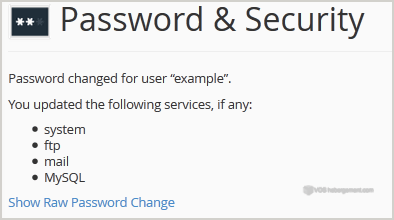
You will see a success message then it means your password is changed, Log out and access your account using your new password.


Note: If you forgot your cPanel password and are unable to access your account, please open a ticket with us.

Was this answer helpful?

 Print this Article

Also Read

How to Change Language of your cPanel?

cPanel supports a lot of languages, and if you want to change your cPanel language to your native...

How to add a MX Record in cPanel using DNS Zone Editor?

A mail exchanger record (MX record) is a type of resource record in the Domain Name System that...

How to Edit file in the cPanel File Manager?

1. Log into your cPanel account.2. In the "Files" section, click on "File Manger" Icon. 3. cPanel...

How to edit or remove MX Record in cPanel using the DNS Zone Editor?

You can edit or remove MX Record from cPanel using the cPanel DNS Zone Editor which allows you to...

How to create Cronjob via cPanel?

1. Log into your cPanel account.2. In the "Advanced" section, click on "Cron Jobs" Icon. 3. Under...